
Can I add a prefix or suffix to my data before sending it to Shopify?
You can use prefixes or suffixes on any data you have mapped. For example, if you have a column in your CSV file called Order Number and you want to add the text OLD- at the beginning of every order number in your CSV file, you can do so with our field configurations. Below is an overview of how affixes work in EZ Fulfill.
Mapping Your Prefix/Suffix Values
To set up your prefixes/suffixes, go to the Prefix/Suffix Field Configuration (Optional) section on your data feed. By default, this section is collapsed, so you may need to expand the section by clicking on it.
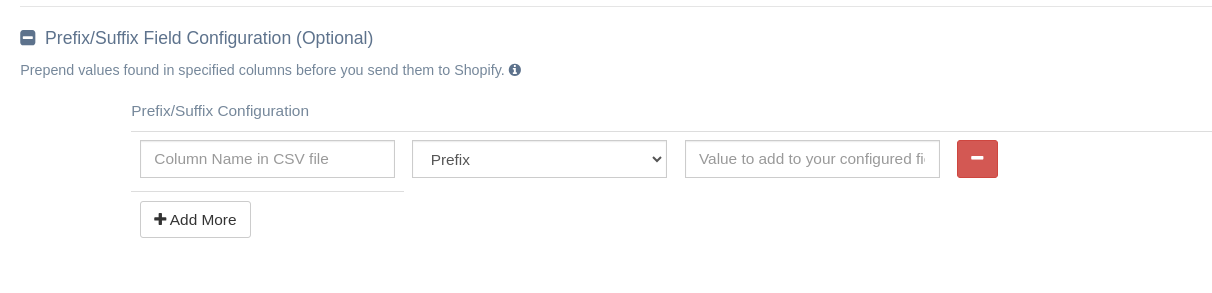
You'll see three input boxes under the Configuration heading. The input box on the left is where you need to add the column name from your file. The input box in the middle allows you to select the position type: prefix or suffix. The input box on the right is where you enter the value to update. For example, if you're going to add the prefix OLD- to all order numbers, then add the column header from your file that has your order numbers to the input box on the left and select prefix in the position type dropdown. Finally, add the value OLD- to the input box on the right. In our example, the file column that contains the order numbers is named "Order Number".
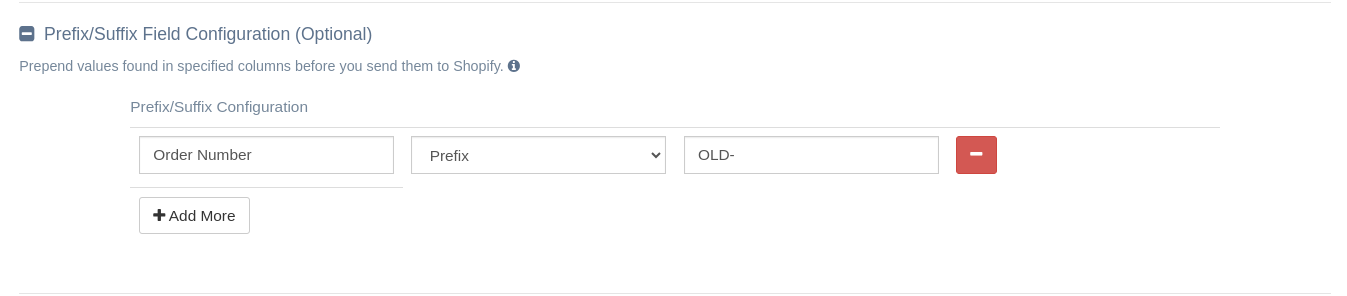
When setting up your configuration, the column names MUST BE mapped in the Fields section of the Data Feed, or you'll get an error. You should also note that column values in your file are case sensitive. Please ensure you enter the column name correctly when configuring your prefixes/suffixes, as the case of the column name matters.
Adding a Prefix/Suffix to Multiple Columns
If you would like to add a prefix to more than one column in your file, click the Add More button in the Prefix/Suffix Configuration section of the data feed.
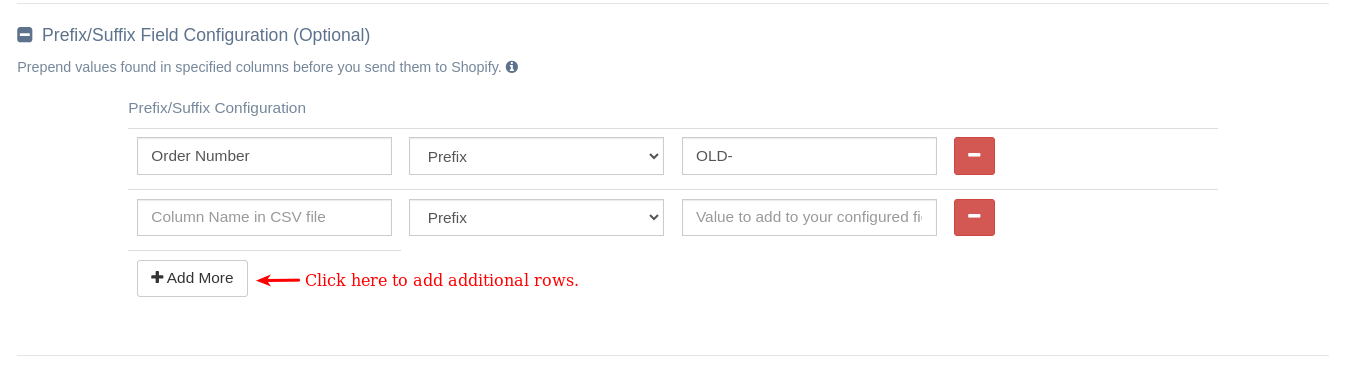
This opens the prefix/suffix configuration panel. You can create up to 5 rules per feed. Each column can have one prefix and one suffix, but you cannot add multiple prefixes or multiple suffixes to the same column.
Prefix/Suffix Values and Blank Values
When using affix values, if the value found in your value is blank, the affix will not be added. EZ Fulfill will ignore any blank or empty values found in your file. You can NOT use affix values as a default value for your field. The affix will be ignored, and an empty/blank value will be sent to Shopify.
Prefix/Suffix Values and Replace File Values
When you use the affix values feature with the replace file values feature, the affix happens after the values are replaced in your file, ensuring the accurate replacement of column data before being sent to Shopify.
App: EZ Fulfill
Tags: faq, advanced features, supplier feed