EZ Exporter Update: New Collections Fields in Product and Order Exports

We've added new collections fields to EZ Exporter when configuring the Data Settings for Product and Order data to prepare for the upcoming Shopify Collections redesign (currently in Developer Preview). 

These new fields will pull data from all collection types as Shopify has now deprecated the separate "Smart Collection" and "Custom Collection" types.

You can now select and filter by the following fields when configuring the Data Settings:

Product Export

  • collections.handle (Collections Handles)
  • collections.id …
Read more

EZ Exporter Update: Shopify Customer Tax ID Field Now Available in Customer and Order Exports

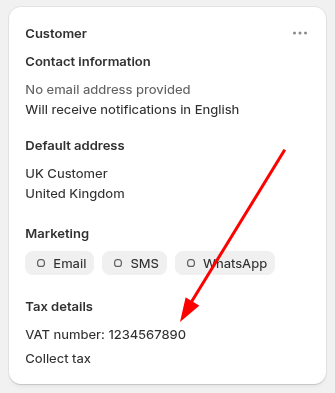
The native Shopify Customer Tax ID field (e.g. the VAT Number / VAT ID for UK and EU customers) as shown in the Shopify Admin under "Tax details" can now be exported by EZ Exporter.

This field can be included in Customer and Order exports by selecting the following fields:

Customer export:

  • tax_settings.tax_id

Order export:

  • customer.tax_settings.tax_id

Note that for Order exports, the customer record's current tax ID (at …

Read more

EZ Exporter Update: GZIP File Compression Format Now Supported

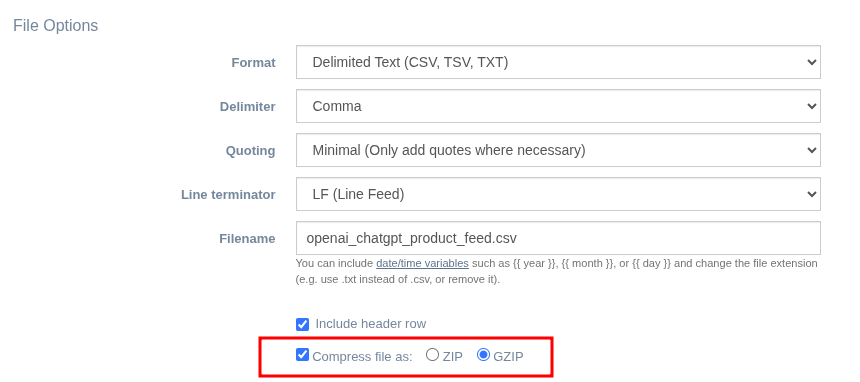
EZ Exporter now supports the GZIP (.gz) file compression format in addition to ZIP (.zip) when configuring an Export Profile:

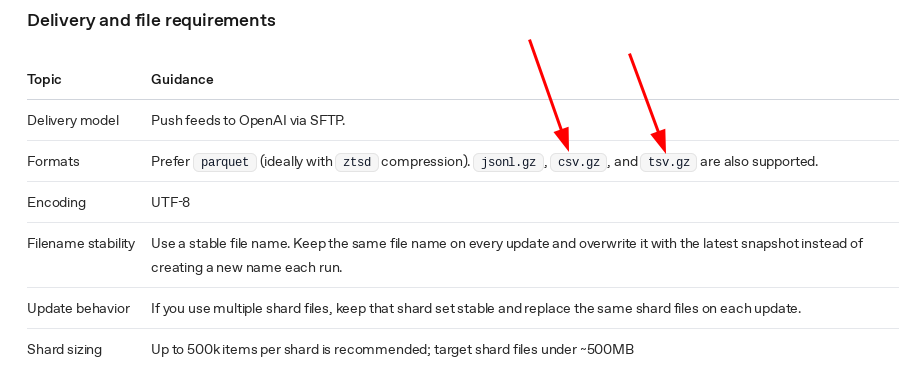
In most cases, the ZIP format is ideal as it's the most supported compression format. However, certain platforms may require GZIP compression specifically, like OpenAI's Ads Manager when creating a ChatGPT Product Feed:

When this setting is enabled, EZ Exporter will automatically add the .gz file extension. For example, if you set openai_chatgpt_product_feed.csv as the …

Read more

EZ Exporter Update: New Shopify Order Fields and Templates

The fields below are now available when creating a Data Settings for exporting Shopify Order data in EZ Exporter:

app.name App Name (type: text). The name of the app that created the order. For example, 'Online Store', 'Point of Sale', or a custom app name. Use this to identify the order source for attribution and fulfillment workflows.
current_total_duties_set.shop_money.amount Current Total Duties (type: number). The current total duties amount …
Read more

EZ Inventory Update: Change in Shopify Quantity Now Available in the Activity Log Details

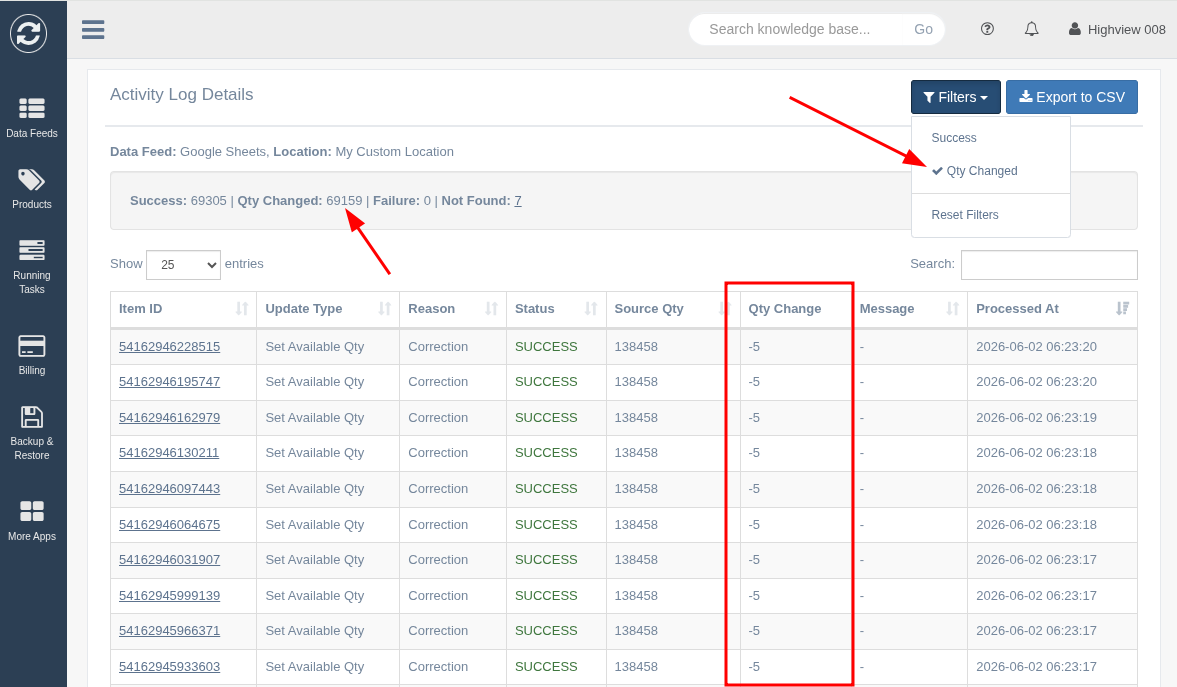
EZ Inventory keeps a detailed record of each inventory update job in the "Activity Log".

When viewing the "Activity Log Details", it will tell you the status of every item being updated, when the update occurred, the type of update, and the quantity from the source data feed.

We've recently pushed an update to also now include a column to show the change in quantity (the delta) in Shopify after the stock update:

This column will …

Read more