
Can I specify the file encoding for my CSV inventory feeds?
Yes, you can!
By default, the character encoding is set to use UTF-8, but you can override this in the Data Feed settings under Source Data > Encoding:
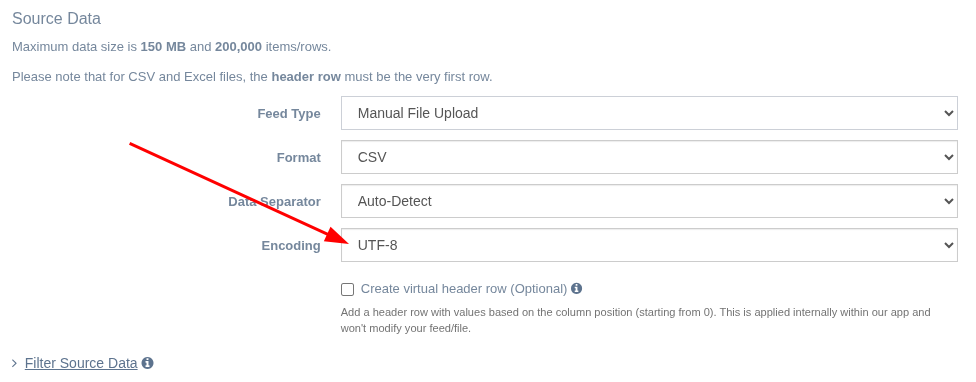
We currently have the following character encoding options available:
- UTF-8
- Windows-1252
- ISO-8859-15 (Latin-9)
- Shift JIS (Japanese)
Note that some encodings are a subset of other encodings. For example, ASCII is already a subset of UTF-8, so UTF-8 will work with ASCII-encoded files. ISO-8859-1 (Latin-1) is already a subset of Windows-1252, so Windows-1252 is compatible with Latin-1.
If you're using an encoding not covered in the list above, feel free to contact us so we can take a look and see if we can support it.
App: EZ Inventory
Tags: file encoding, inventory feeds