
How can I automatically export my Shopify Analytics Reports data to Google Sheets?
Quick YouTube video demo: https://youtu.be/H99ukw4e-Lo
EZ Exporter supports an "Analytics" Data Settings where you can simply copy/paste the same ShopifyQL from the Shopify Admin > Analytics > Reports into the app to export the same data.
Since the app also has a direct Google Sheets integration, you can schedule an automated export to an existing Google Sheets spreadsheet (you can specify the specific sheet/tab to push the data to).
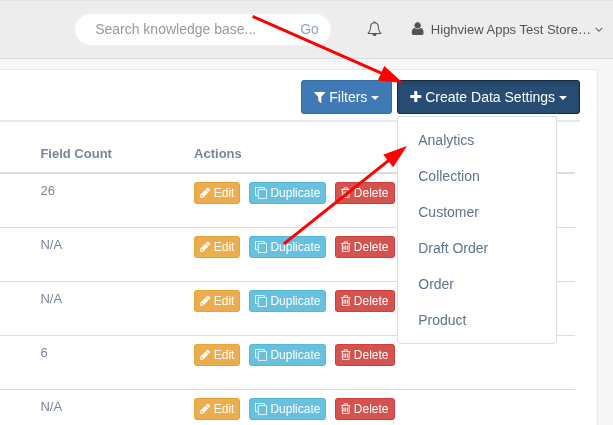
1. On the Data Settings page, create a new Data Settings for "Analytics" data.
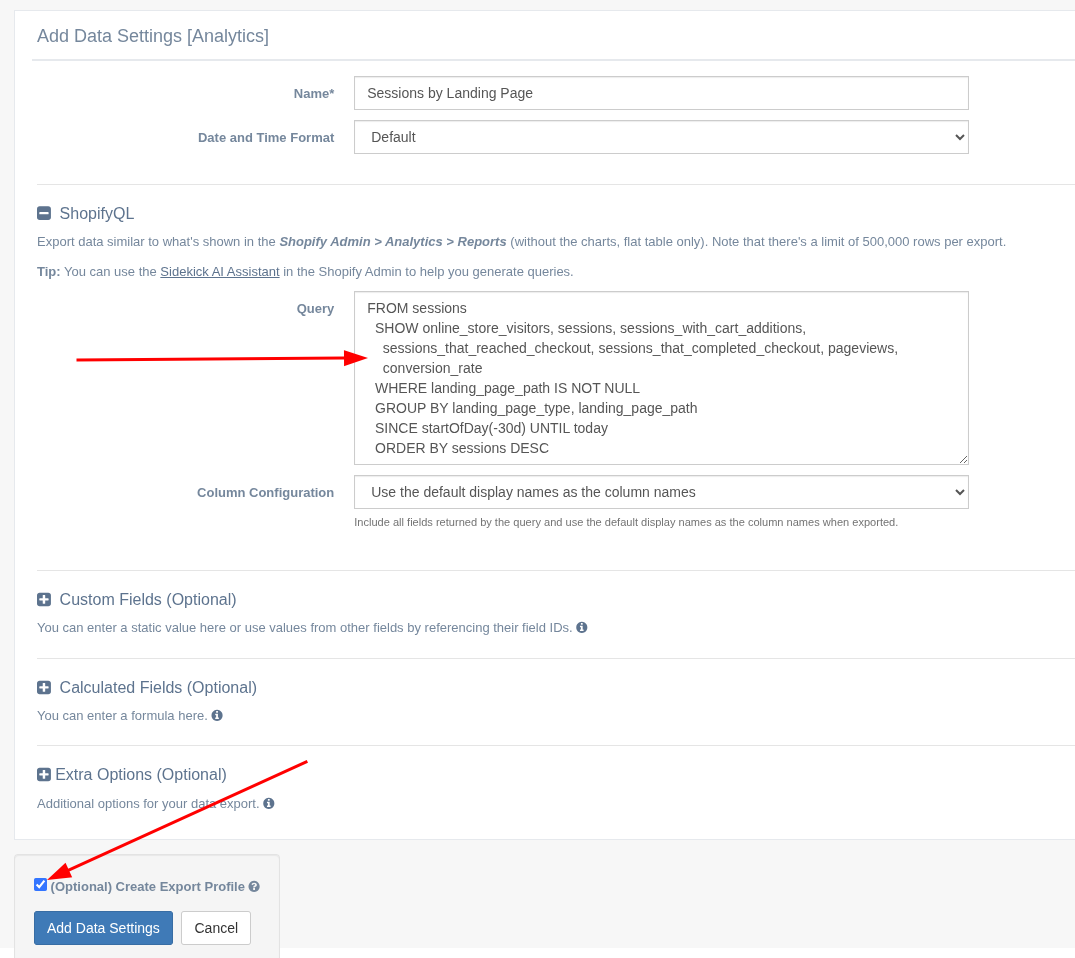
2. Copy/paste the ShopifyQL query from the Shopify Admin Analytics Reports. Also tick the "Create Export Profile" checkbox to automatically create an Export Profile with default settings.
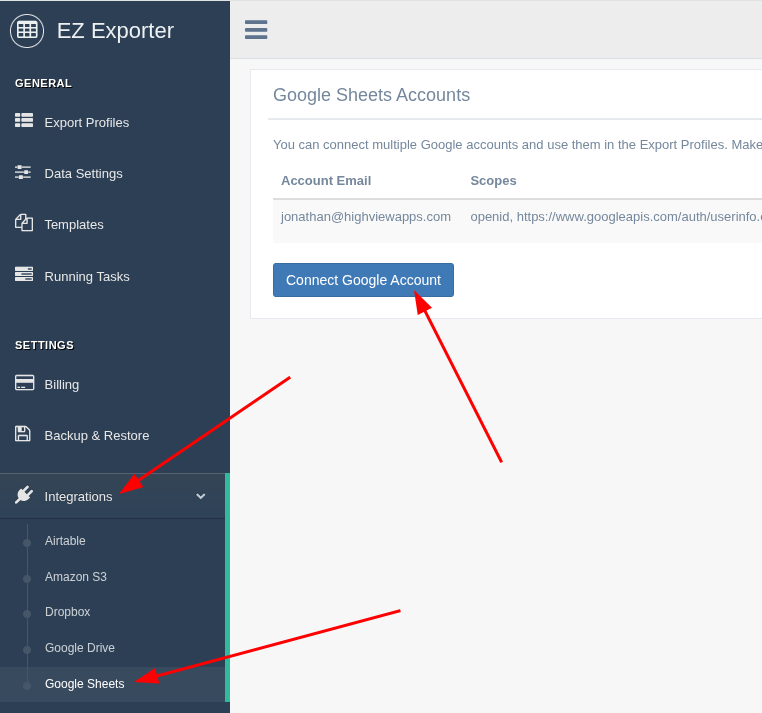
3. Go to Integations > Google Sheets and connect your Google Account.
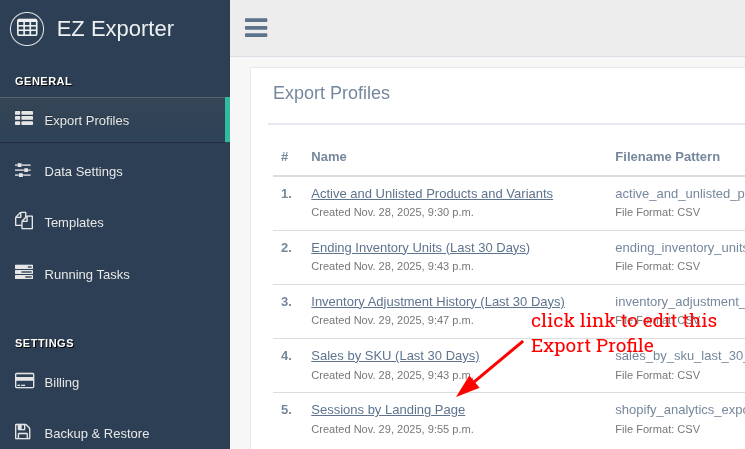
4. Go back to the Export Profiles page and edit the newly created Export Profile.
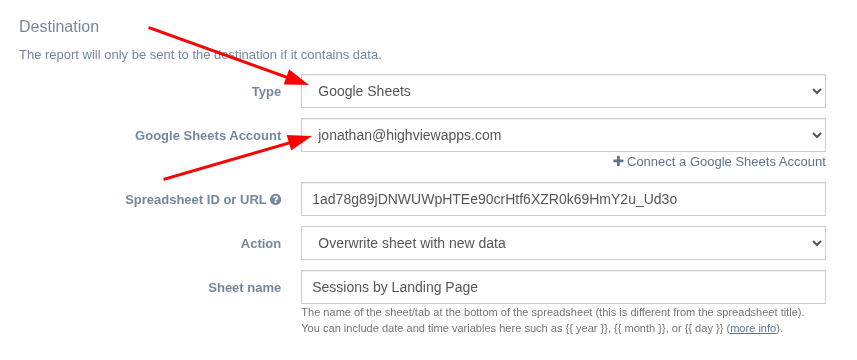
5. Set Destination > Type to Google Sheets. Select the Google Account you've connected and fill in the rest of the settings.
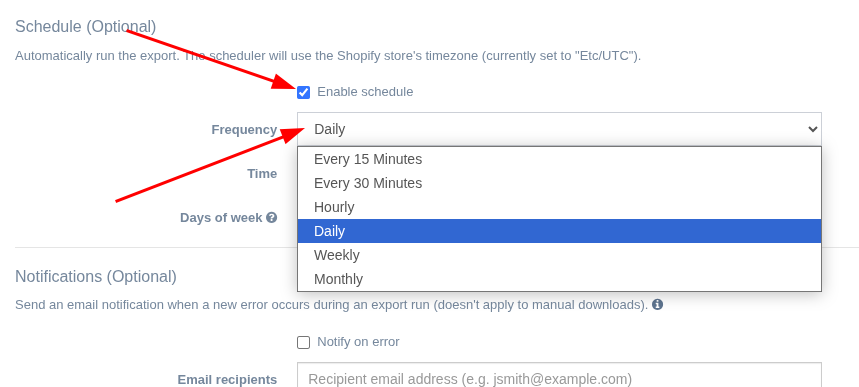
6. Enable the scheduler and specify your desired schedule.
Related Articles:
App: EZ Exporter