
How can I export selected orders from the Shopify Admin to a custom CSV or Excel template I created with EZ Exporter?
EZ Exporter provides an option to export selected orders from the Shopify Admin to a custom CSV/Excel template.
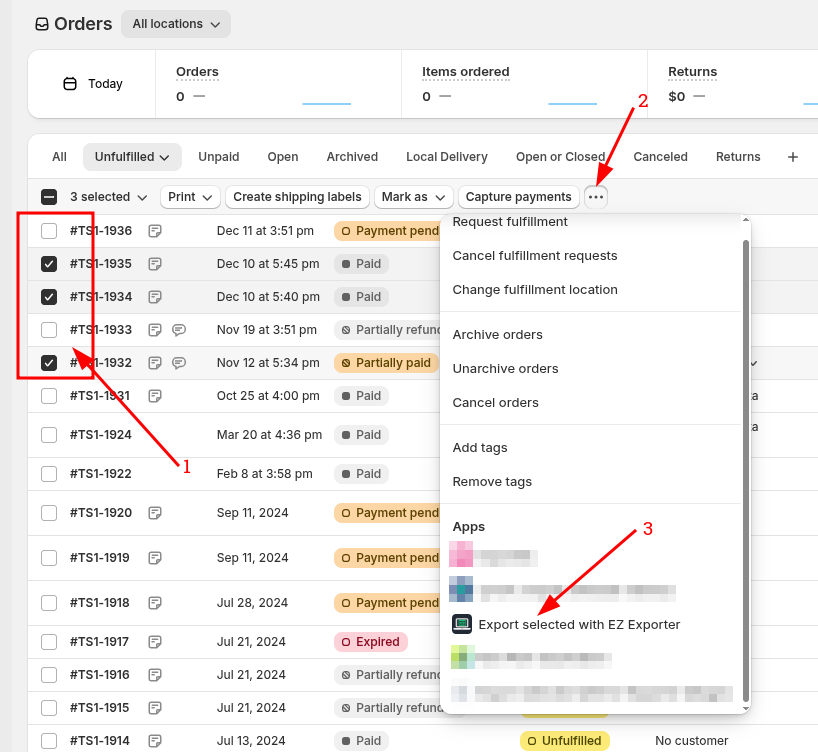
1. From the Shopify Admin's order listing page, select the specific orders you'd like to export.
2. Click the "..." button that shows up after selecting the orders.
3. Under Apps, click "Export Selected with EZ Exporter". This will open a new window.
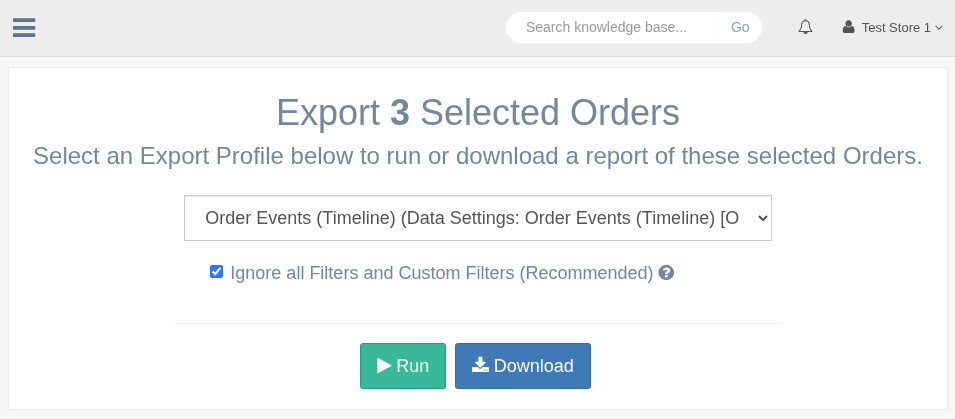
4. Select the Export Profile to use. You have the option to generate and "Download" the file now or "Run" it to be sent to the destination you've configured in the Export Profile settings.
Related Articles:
App: EZ Exporter