
How do I export the "Conversion summary" data of the Shopify order?
In the Shopify Admin's order detail page, there's a section called "Conversion summary" (with a link for "Conversion details"):
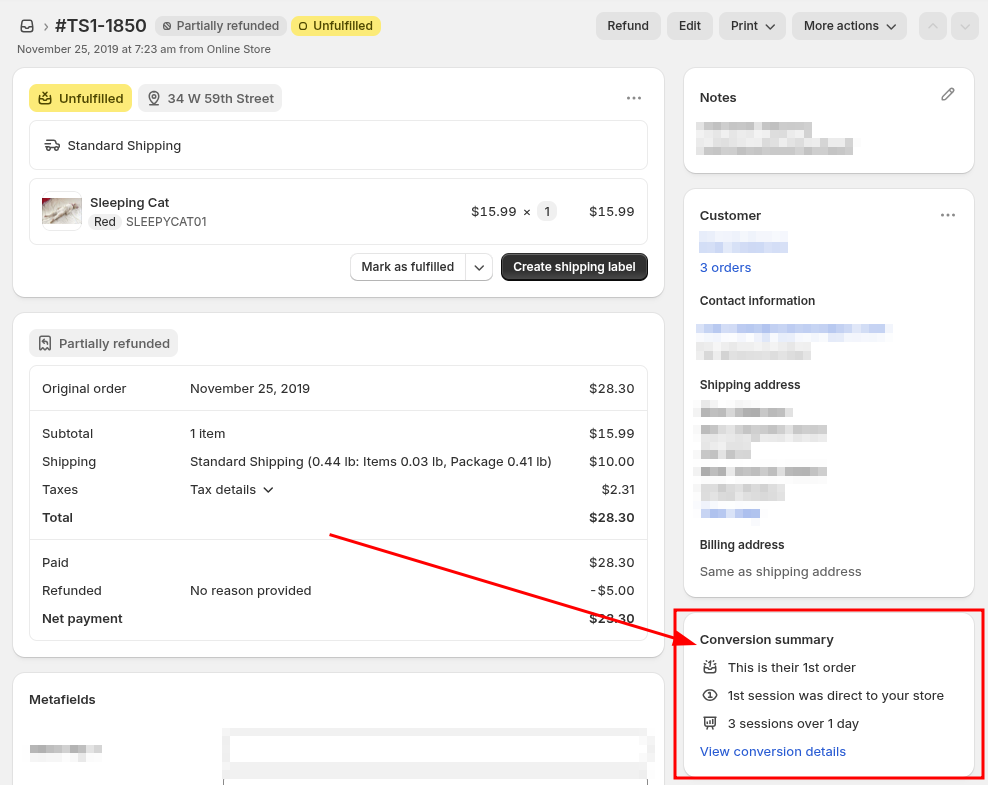
This section provides conversion information such as the following:
- Total sessions before placing the order
- Order index
- Days to conversion
- Date and time of when the first and last visits occurred
- Landing page URLs of the first and last visits
- UTM parameters from the first and last visits
EZ Exporter can export these data via the customer_journey_summary fields.
Simply select these fields under the "Fields" section of the Data Settings to include them in your CSV/Excel export:
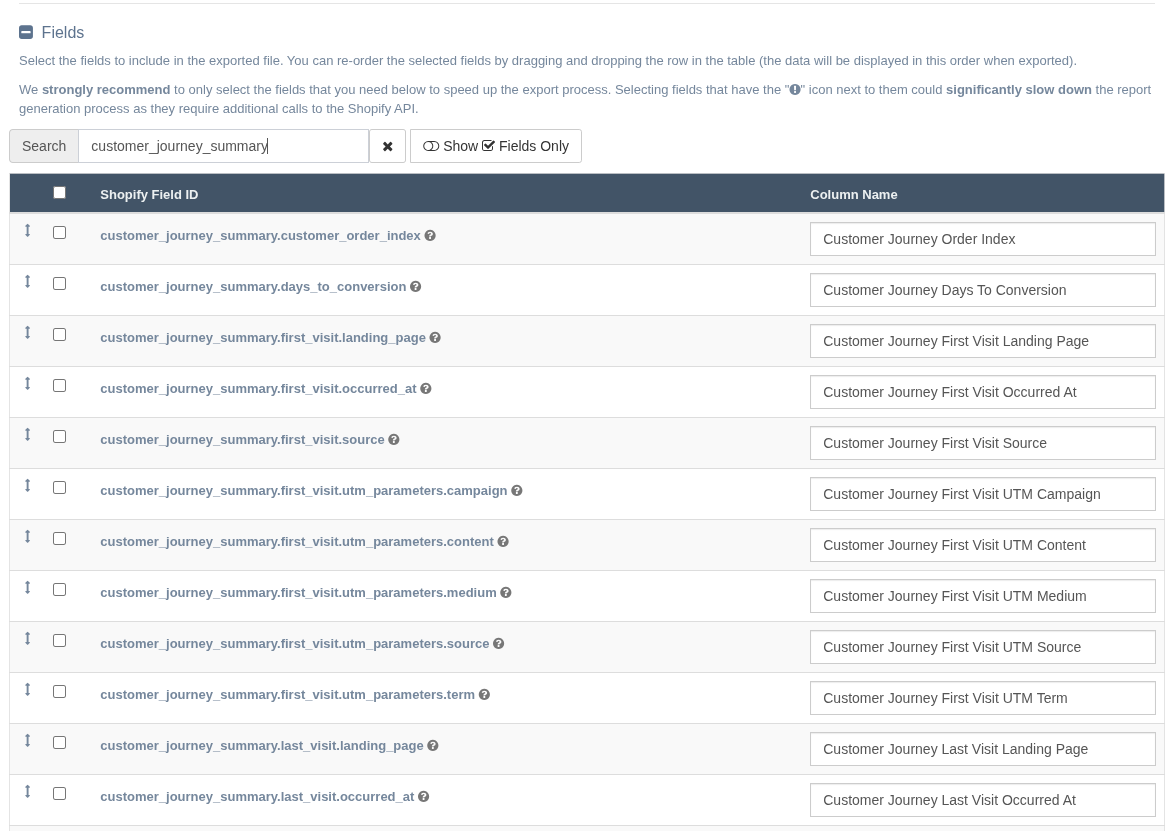
On the "Templates" page of the app, there's also a pre-built template you can use called "Conversion Summary & UTM Parameters (Last 30 Days)" which already includes these fields and can be customized further.
App: EZ Exporter