
Can I append data to an existing file on an FTP server?
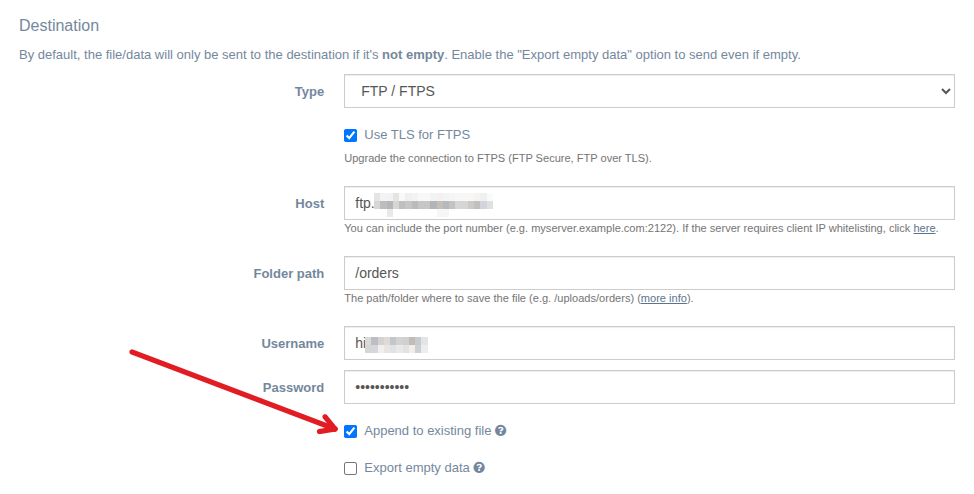
EZ Exporter supports an "Append to existing file" option for the FTP / FTPS export destination.
This option uses the standard APPE command in the FTP protocol.
Please note, however, that while we expect this to work with most FTP/FTPS servers since this is a standard FTP command, some server administrators may choose to disable this on the server side. If for some reason this option isn't working on your FTP server, please contact the FTP server administrator to confirm whether it's enabled on the server.
A couple additional notes:
- This option will only work with text files (i.e. file format in EZ Exporter is set to "Delimited Text (CSV, TSV, TXT)" without compression).
- If the file doesn't exist on the server, a new file will be created.
You can find this setting when configuring the Export Profile as shown below (when Destination > Type is set to FTP / FTPS):
One use case for append is if your ERP system requires generating order files with varying data structures, but they need to be combined in a single file.
For example, one merchant that uses our app configured 5 separate formats for order data:
- OHDR (order header)
- ONAC (billing)
- OPAY (payment)
- ONAC (shipping)
- OLIN (order lines)
Every day, they need to basically concatenate them together because their ERP software requires it. This new setting gives them the ability to automate this process as each of those exports will be appended automatically to the existing daily file on the FTP server.
App: EZ Exporter