
Add a Prefix or Suffix to Your Fulfillment Data Using EZ Fulfill

EZ Fulfill now allows you to add a prefix or a suffix to any data you have mapped before sending it to Shopify for fulfillment. You can also use the feature to add a prefix or suffix before looking up your order numbers, which is helpful when working with supplier feeds, as many of them may not provide the full Shopify order number in their files.
Adding a prefix or suffix to your fulfillment data is done by configuring your data feed. The data feed has a new configuration section called Prefix/Suffix Field Configuration. The configuration allows you to configure which mapped field you want to add your affix to, set the "position type" of prefix or suffix, and add the value you wish to affix to the data found in the configured column.
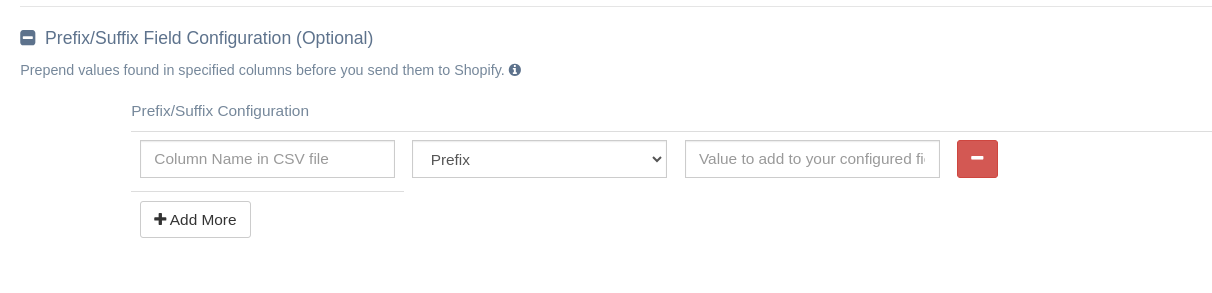
EZ Fulfill lets you create up to 5 prefix/suffix rules per data feed. Each rule attaches a value to one column, either as a prefix or a suffix. You can apply both a prefix and a suffix to the same column, but you cannot add multiple prefixes or multiple suffixes to any single column.
For a more detailed description of how the feature works and its quirks, check out our completed documentation here. We hope this provides greater flexibility, especially when working with supplier feeds.
Tags: ez fulfill, new features