
Add Metafields to Your Order With EZ Fulfill

EZ Fulfill now supports adding Metafields to your orders when you mark them fulfilled. You can add Metafields to your orders in Shopify using the optional configuration option on your Data Feed.
EZ Fulfill supports adding Metafields that you define in Shopify, as well as unstructured Metafields that don't have a definition in Shopify. To add unstructured Metafields to your order, select the Metafield type in the Metafield Type dropdown in the Metafields Configuration section of your Data Feed.
If the unstructured Metafield has already been used in Shopify, it will be added to your order. If the unstructured Metafield has not been previously used, EZ Fulfill will add it to your store.

You can read more about Shopify Metafields and how they work here.
Adding Metafields With Your Fulfillment
Once you've configured your Data Feed to read Metafields from the columns in your CSV or Excel file, they'll be added to your order in Shopify.
There are a few things to look out for when adding Metafields to your order:
- Adding Metafields to your orders can significantly slow down your imports. There is an additional call to the Shopify API for every order that needs to be fulfilled. These additional requests can add up, slowing down the fulfillment process.
- Because Metafields must be added after the order is fulfilled, the order will still be marked as fulfilled and have tracking numbers added, even if there are errors adding your Metafields.
You can review the status of your Metafields on EZ Fulfill's Activity Log Details page. When you expand the row details, you'll see two fields: Create Metafields Status and Create Metafields Message. These fields tell you if the Metafield fields were successfully added to your order or if there was an error.
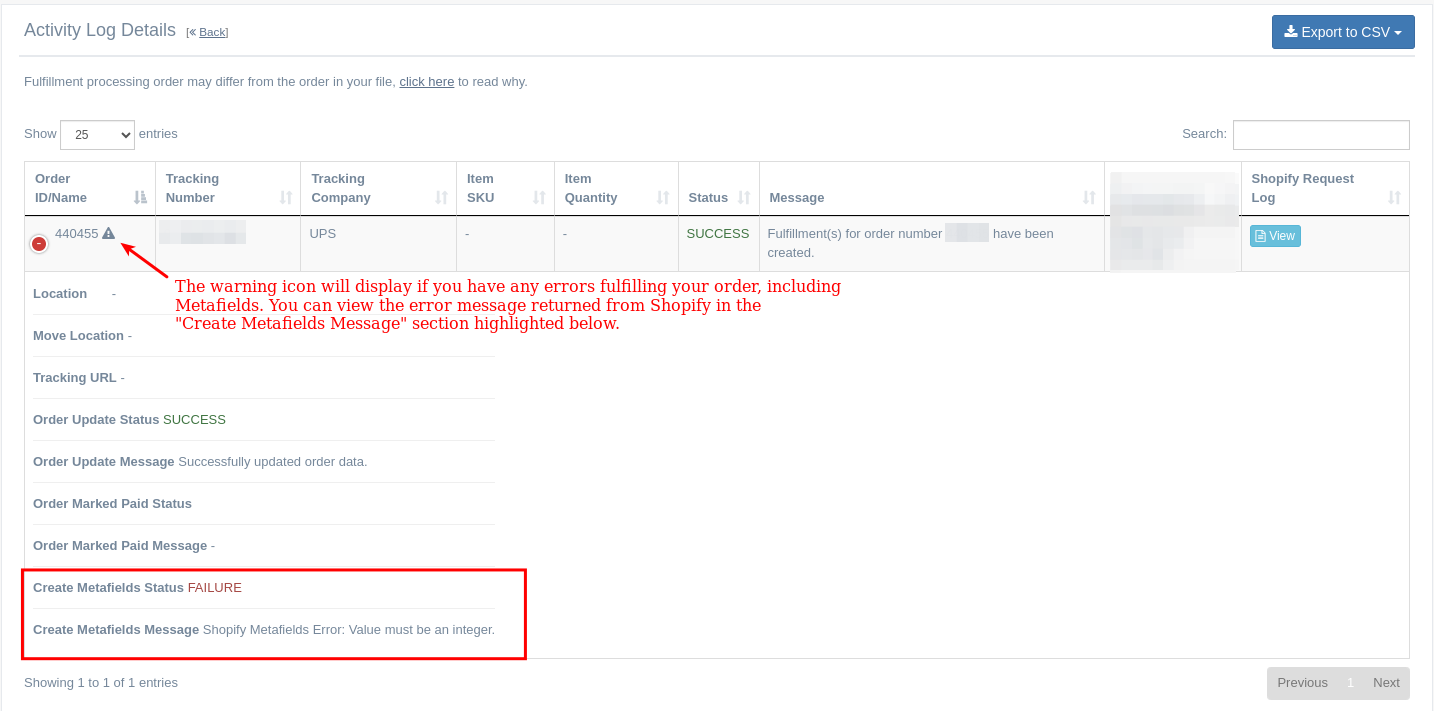
Metafields can only be added to the order after it's successfully marked as fulfilled. So, if your fulfillment fails, the Metafields will not be added to the order. Also, if your Metafields fail to be added to your order, the order will still be marked as fulfilled, since the update must occur after the order is updated.
You can read our documentation for a full rundown of how Metafields work with EZ Fulfill.
Tags: ez fulfill, metafields, new features