
EZ Exporter Update: New "Export empty data" Setting

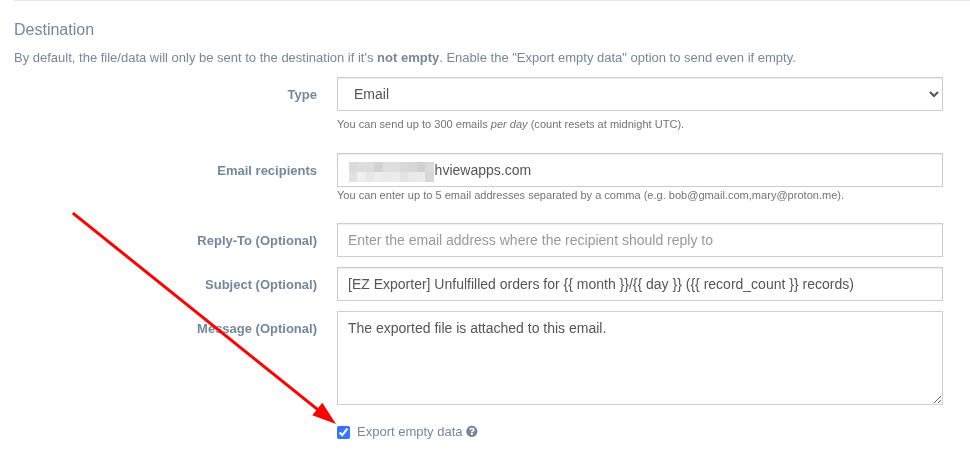
In the Export Profile settings of EZ Exporter, we've added a new option "Export empty data".
By default, if there are no records, no file/data will be sent to the export destination. This is the desired behavior for the vast majority of our users.
However, we've received a few requests from merchants who want the file sent out anyway when empty so the recipient knows the export process ran and there were no records.
When sending the export file over email, we've also added a new variable {{ record_count }} that can be used in the email subject and message, so the email recipient can know ahead of time that the file is empty before opening it.
When exporting files to FTP, SFTP, Google Drive, Dropbox, or Amazon S3, an empty file will be uploaded (or a file containing just the header row if the the "Include header row" setting is enabled).
When pushing the data directly to Google Sheets or Airtable, the entire sheet or table will be overwritten with empty data when using the "Overwrite..." action only.
Below is a screenshot showing where you can find this new setting:
Tags: ez exporter, new features