EZ Inventory Update: Change in Shopify Quantity Now Available in the Activity Log Details

EZ Inventory keeps a detailed record of each inventory update job in the "Activity Log".
When viewing the "Activity Log Details", it will tell you the status of every item being updated, when the update occurred, the type of update, and the quantity from the source data feed.
We've recently pushed an update to also now include a column to show the change in quantity (the delta) in Shopify after the stock update:
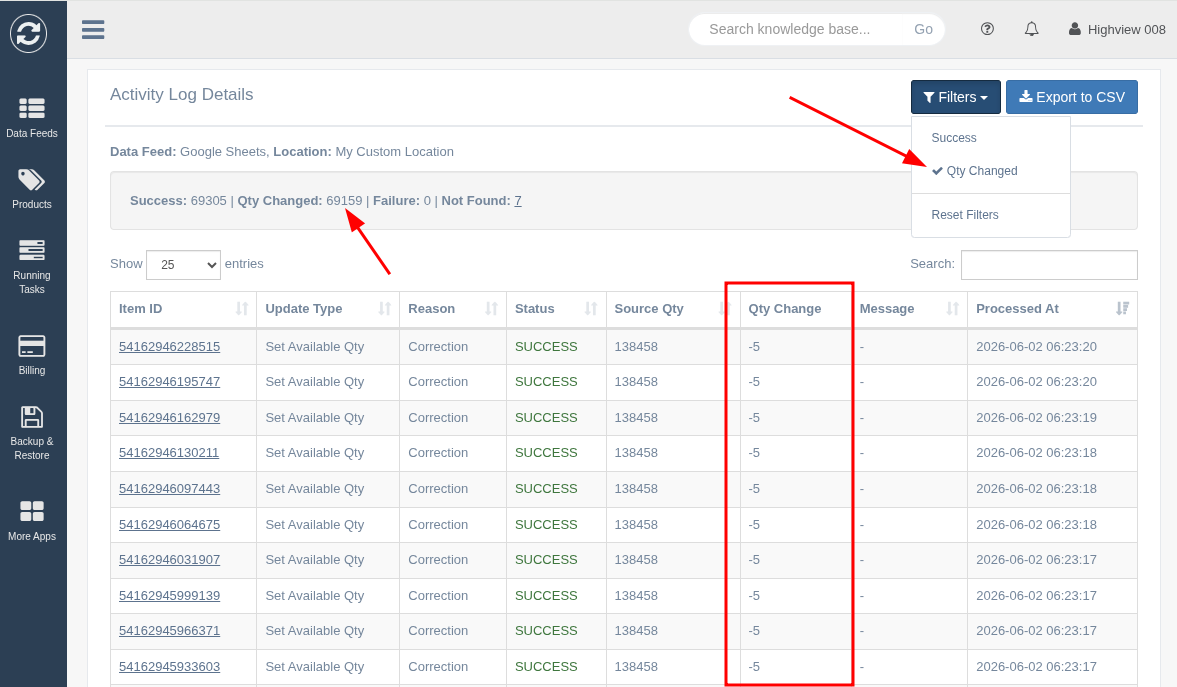
This column will contain numbers that start with "+" if the quantity was increased, "-" if it was decreased, and empty/no number if unchanged.
There's also a filter option to only show items where the quantity changed, so you can quickly view only those changed items.
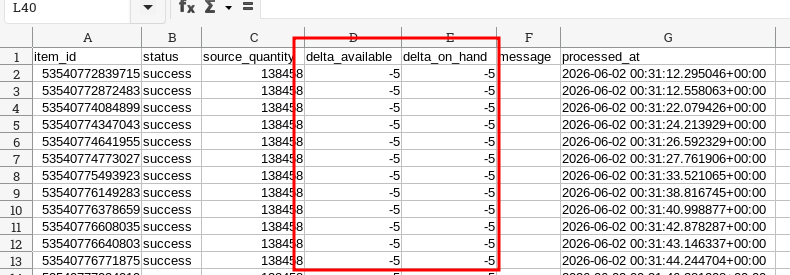
The CSV export also now includes the columns "delta_available" and "delta_on_hand" which gives you the delta for the "available" and "on hand" inventory states: